
12:14 p.m.
Dear colleagues,
I don't know if anyone else has had this problem. Over the weekend I upgraded my Mac
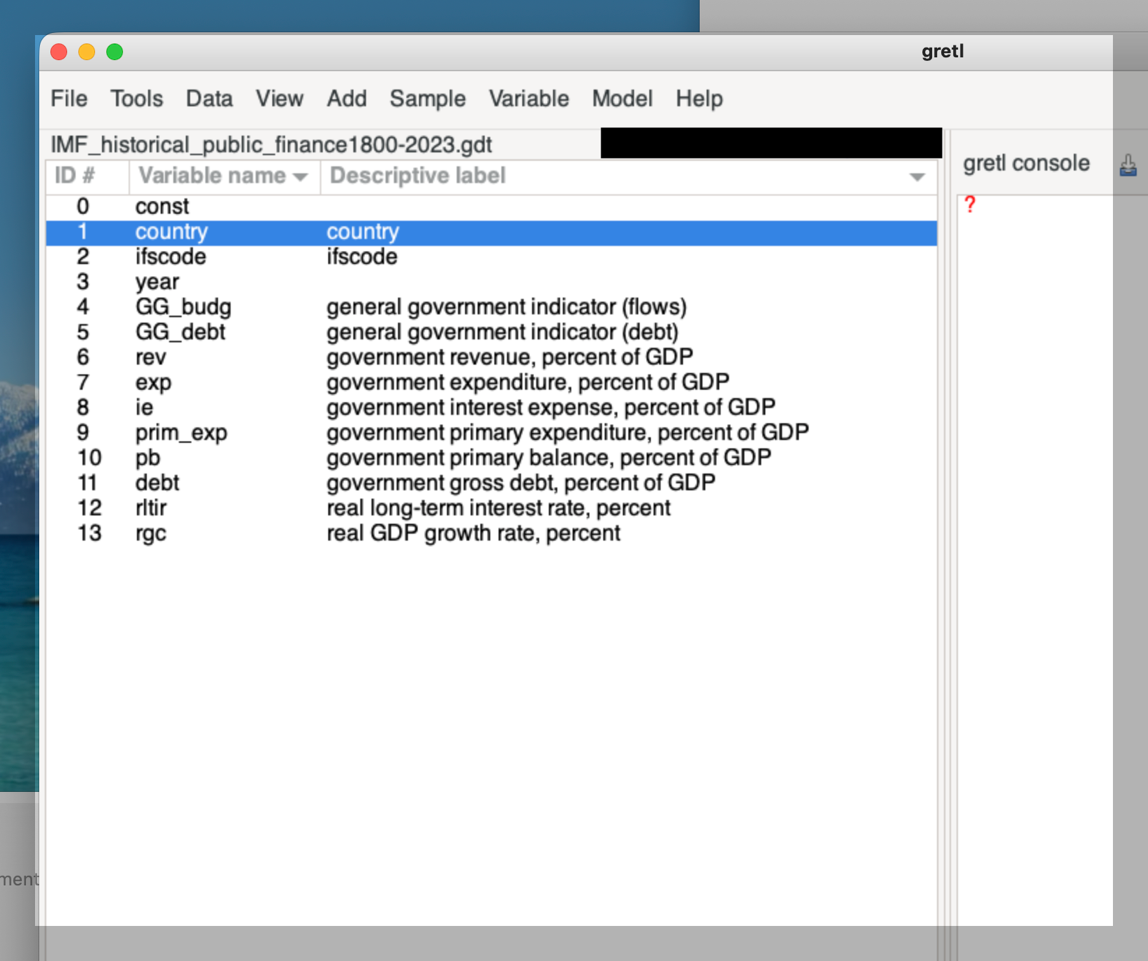
to Tahoe (26.1) and as soon as I opened Gretl, the text was blurry. I enclose a
screenshot, but I don't know if this really does justice to the problem. I am certain
that until I upgraded all the text was crisp and easily readable. I have changed settings
on the Mac to reduce transparency, and have tried various fonts in Gretl. Nothing seems to
make a difference. Gretl is the only software on my system which appears to have this
problem.
I am using Gretl 2025b, and the system is an iMac (2020) with a 27" built in Retina
display (5120 x 2880).
If anyone has suggestions they would be very welcome. I know that 2025c will be released
soon, and hopefully the problem will be fixed then.
Many thanks,
Roland

12:28 p.m.
Am 10.11.2025 um 13:14 schrieb Roland Clarke:
Dear colleagues,
I don't know if anyone else has had this problem. Over the weekend I upgraded my Mac
to Tahoe (26.1) and as soon as I opened Gretl, the text was blurry. I enclose a
screenshot, but I don't know if this really does justice to the problem. I am certain
that until I upgraded all the text was crisp and easily readable. I have changed settings
on the Mac to reduce transparency, and have tried various fonts in Gretl. Nothing seems to
make a difference. Gretl is the only software on my system which appears to have this
problem.
My guess would be that gretl is the only program on your system that
uses the GTK framework for the windows and graphical stuff (for
cross-platform technical reasons). If you're willing to do some more
testing, you could perhaps install another program that uses GTK,
perhaps something like GIMP (https://www.gimp.org/downloads/ -- however,
I believe that the GTK version is different there, so it may not be a
definitive test).
I don't have access to a Mac running OS 26.x - are you saying that the
problem did not appear on the initial OS version 26.0, or did you skip
that version?
I am using Gretl 2025b, and the system is an iMac (2020) with a
27" built in Retina display (5120 x 2880).
If anyone has suggestions they would be very welcome. I know that 2025c will be released
soon, and hopefully the problem will be fixed then.
You could try a recent Mac snapshot to test that, but I think it's
unlikely that it's already solved.
thanks for the report
sven
12:41 p.m.
Hi Sven,
Thanks very much for your quick response.
My guess would be that gretl is the only program on your system that uses the GTK
framework for the windows and graphical stuff (for cross-platform technical reasons). If
you're willing to do some more testing, you could perhaps install another program that
uses GTK, perhaps something like GIMP (https://www.gimp.org/downloads/ -- however, I
believe that the GTK version is different there, so it may not be a definitive test).
I just tried GIMP and the text is clear and crisp. As you say it might be a different GTK
version.
I don't have access to a Mac running OS 26.x - are you saying
that the problem did not appear on the initial OS version 26.0, or did you skip that
version?
I skipped 26.0, as I am always wary about first releases, so I don't know if there was
a problem with 26.0.
You could try a recent Mac snapshot to test that, but I think
it's unlikely that it's already solved.
thanks for the report
I'll try a recent snapshot to see. Thanks for the suggestion.
Thanks,
Roland
12:55 p.m.
Hi Sven,
I just tried the new snapshot and the blurry text is still there I am afraid.
Thanks,
Roland
On 10 Nov 2025, at 13:41, Roland Clarke
<rolandclarke97(a)icloud.com> wrote:
Hi Sven,
Thanks very much for your quick response.
>
> My guess would be that gretl is the only program on your system that uses the GTK
framework for the windows and graphical stuff (for cross-platform technical reasons). If
you're willing to do some more testing, you could perhaps install another program that
uses GTK, perhaps something like GIMP (https://www.gimp.org/downloads/ -- however, I
believe that the GTK version is different there, so it may not be a definitive test).
I just tried GIMP and the text is clear and crisp. As you say it might be a different GTK
version.
> I don't have access to a Mac running OS 26.x - are you saying that the problem
did not appear on the initial OS version 26.0, or did you skip that version?
>
I skipped 26.0, as I am always wary about first releases, so I don't know if there
was a problem with 26.0.
> You could try a recent Mac snapshot to test that, but I think it's unlikely that
it's already solved.
>
> thanks for the report
>
I'll try a recent snapshot to see. Thanks for the suggestion.
Thanks,
Roland
_______________________________________________
Gretl-users mailing list -- gretl-users(a)gretlml.univpm.it
To unsubscribe send an email to gretl-users-leave(a)gretlml.univpm.it
Website: https://gretlml.univpm.it/postorius/lists/gretl-users.gretlml.univpm.it/
11:22 a.m.
Am 10.11.2025 um 13:55 schrieb Roland Clarke:
Hi Sven,
I just tried the new snapshot and the blurry text is still there I am afraid.
Yes, as expected given your previous conditions, unfortunately.
Other Mac users out there: Are you running OS 26.x / Tahoe and can
report what you are seeing?
> I skipped 26.0, as I am always wary about first releases, so I
don't know if there was a problem with 26.0.
Then I would guess it would already have happened there.
cheers
sven

12:04 p.m.
On Tue, Nov 11, 2025 at 6:22 AM Sven Schreiber
<sven.schreiber(a)fu-berlin.de> wrote:
Am 10.11.2025 um 13:55 schrieb Roland Clarke:
> Hi Sven,
>
> I just tried the new snapshot and the blurry text is still there I am afraid.
Yes, as expected given your previous conditions, unfortunately.
Other Mac users out there: Are you running OS 26.x / Tahoe and can
report what you are seeing?
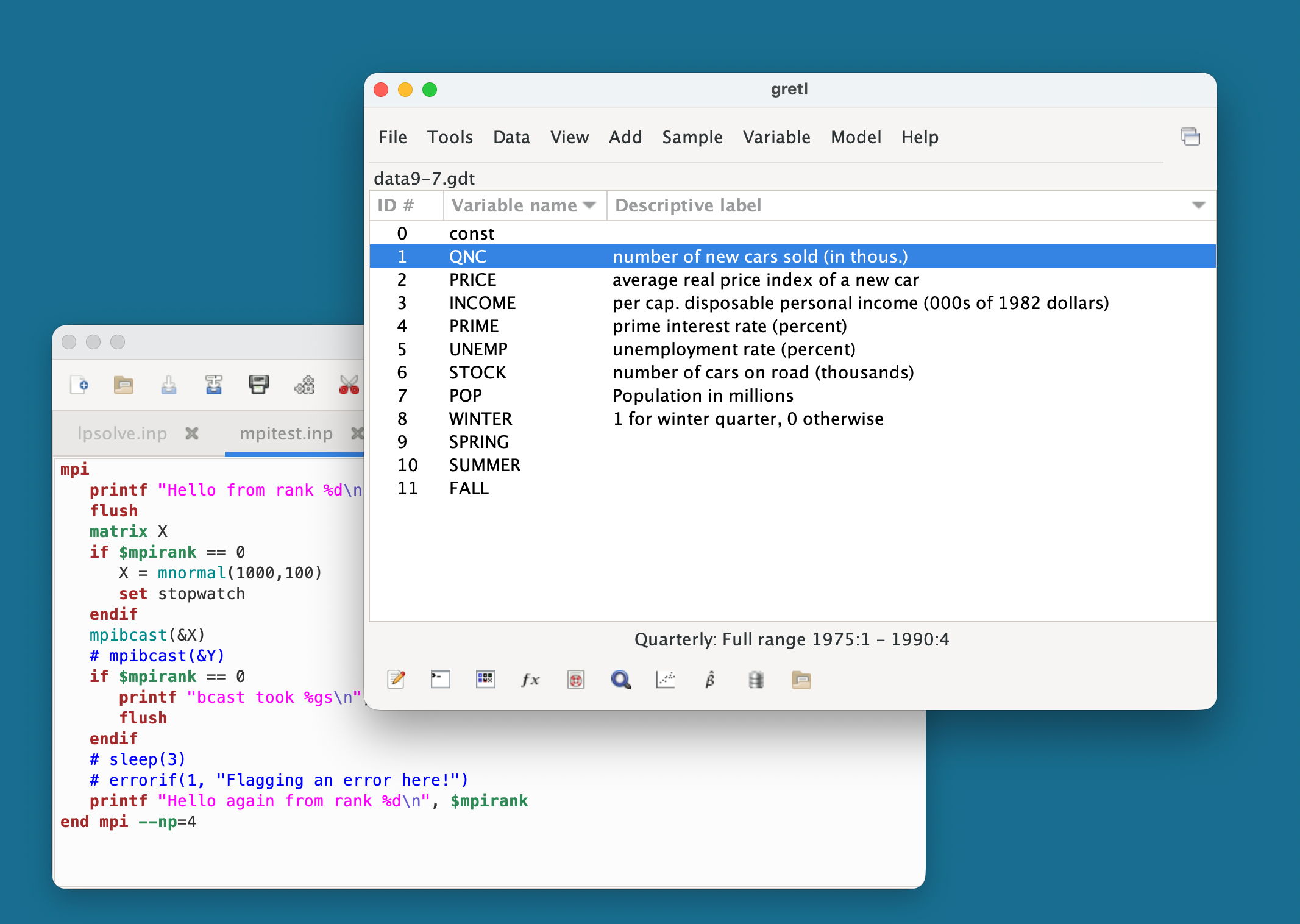
I just updated my M1 Macbook Air to macOS 26.1 in order to test, and
I'm not seeing blurry text (screenshot attached). I guess yours is an
Intel iMac, Roland?
Late yesterday I put up a macos-arm64 snapshot in which the
font-handling libraries used by gretl (harfbuzz and pango) are
updated, in case that makes any difference for others. I can try doing
that for the mac_intel build too.
Allin Cottrell
12:51 p.m.
Thanks Allin. Indeed mine is an Intel Mac. It would be great if the intel version can be
updated as well.
Many thanks,
Roland
> On 11 Nov 2025, at 13:05, Cottrell, Allin <cottrell(a)wfu.edu> wrote:
>
> On Tue, Nov 11, 2025 at 6:22 AM Sven Schreiber
> <sven.schreiber(a)fu-berlin.de> wrote:
>>
>>> Am 10.11.2025 um 13:55 schrieb Roland Clarke:
>>> Hi Sven,
>>>
>>> I just tried the new snapshot and the blurry text is still there I am
afraid.
>>
>> Yes, as expected given your previous conditions, unfortunately.
>>
>> Other Mac users out there: Are you running OS 26.x / Tahoe and can
>> report what you are seeing?
>
> I just updated my M1 Macbook Air to macOS 26.1 in order to test, and
> I'm not seeing blurry text (screenshot attached). I guess yours is an
> Intel iMac, Roland?
>
> Late yesterday I put up a macos-arm64 snapshot in which the
> font-handling libraries used by gretl (harfbuzz and pango) are
> updated, in case that makes any difference for others. I can try doing
> that for the mac_intel build too.
>
> Allin Cottrell
> <tahoe_gretl.png>
> _______________________________________________
> Gretl-users mailing list -- gretl-users(a)gretlml.univpm.it
> To unsubscribe send an email to gretl-users-leave(a)gretlml.univpm.it
> Website: https://gretlml.univpm.it/postorius/lists/gretl-users.gretlml.univpm.it/
6:52 p.m.
On Tue, Nov 11, 2025 at 7:52 AM Roland Clarke <rolandclarke97(a)icloud.com> wrote:
Thanks Allin. Indeed mine is an Intel Mac. It would be great if the intel version can be
updated as well.
There's now an update in https://sourceforge.net/projects/gretl/files/snapshots/
I'm not able to test it myself on an Intel Mac running tahoe.
Allin Cottrell
7:58 p.m.
Hi Allin,
Thanks very much for the update.
I have just tested on my Intel Mac.
Unfortunately it seems to make no difference. The text is still blurry, about the same as
before.
Roland
On 11 Nov 2025, at 19:52, Cottrell, Allin <cottrell(a)wfu.edu>
wrote:
On Tue, Nov 11, 2025 at 7:52 AM Roland Clarke <rolandclarke97(a)icloud.com> wrote:
>
> Thanks Allin. Indeed mine is an Intel Mac. It would be great if the intel version can
be updated as well.
There's now an update in https://sourceforge.net/projects/gretl/files/snapshots/
I'm not able to test it myself on an Intel Mac running tahoe.
Allin Cottrell
_______________________________________________
Gretl-users mailing list -- gretl-users(a)gretlml.univpm.it
To unsubscribe send an email to gretl-users-leave(a)gretlml.univpm.it
Website: https://gretlml.univpm.it/postorius/lists/gretl-users.gretlml.univpm.it/
8:14 p.m.
On Tue, Nov 11, 2025 at 2:59 PM Roland Clarke <rolandclarke97(a)icloud.com> wrote:
Hi Allin,
Thanks very much for the update.
I have just tested on my Intel Mac.
Unfortunately it seems to make no difference. The text is still blurry, about the same as
before.
OK, thanks for testing. So this is something we'll try to address
after the 2025c release.
Allin
134
days inactive
135
days old
9 comments
3 participants
participants (3)
-
 Cottrell, Allin
 -
 Roland Clarke
 -
 Sven Schreiber